BeepBox Scales Explained: Choose a Scale for Your Melody
BeepBox scales are note sets for writing inside a chosen tonal palette. Start with Major for a bright sound or Minor for a darker one; use Key to move the same pattern to a different starting pitch. Rhythm, bass, and phrasing still decide whether a melody works.
The short answer
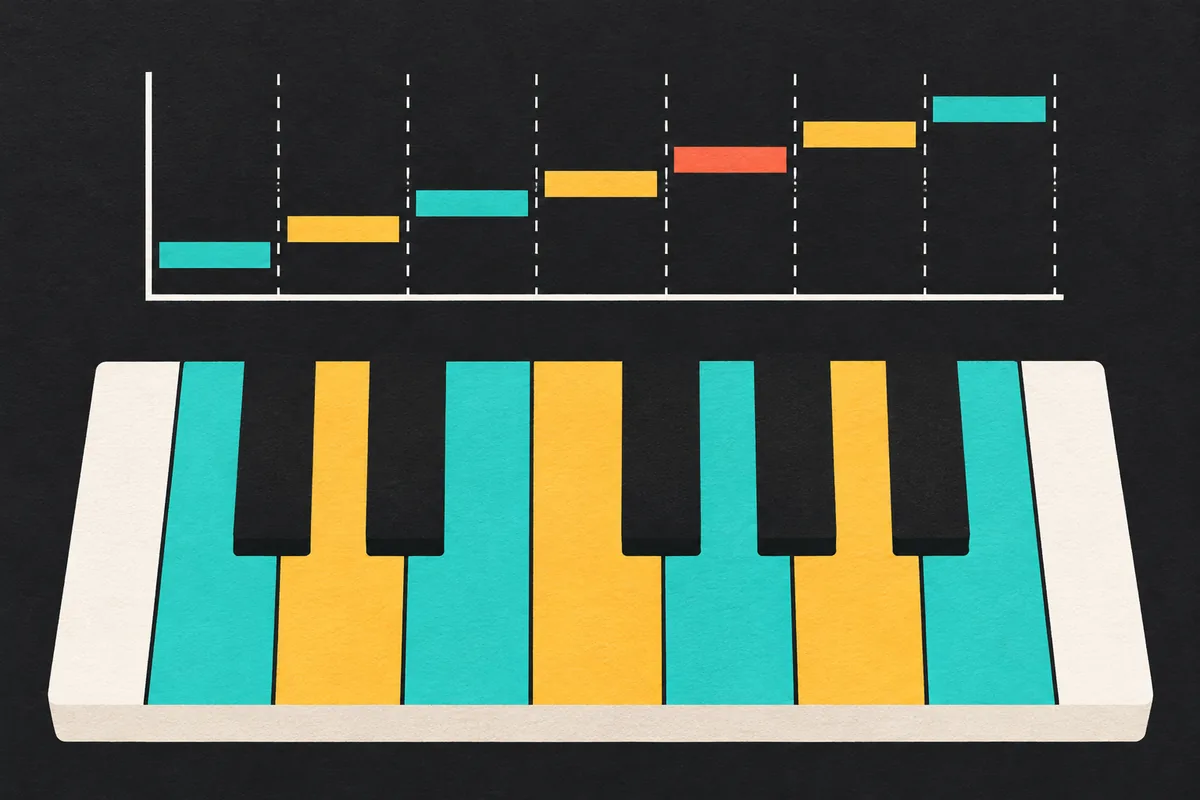
BeepBox scales are easiest to compare when you keep Key fixed while sketching a small motif. Try Major or Minor first; if the phrase feels predictable, compare a pentatonic or modal option and listen with the bass.
BeepBox scales: what Scale and Key mean
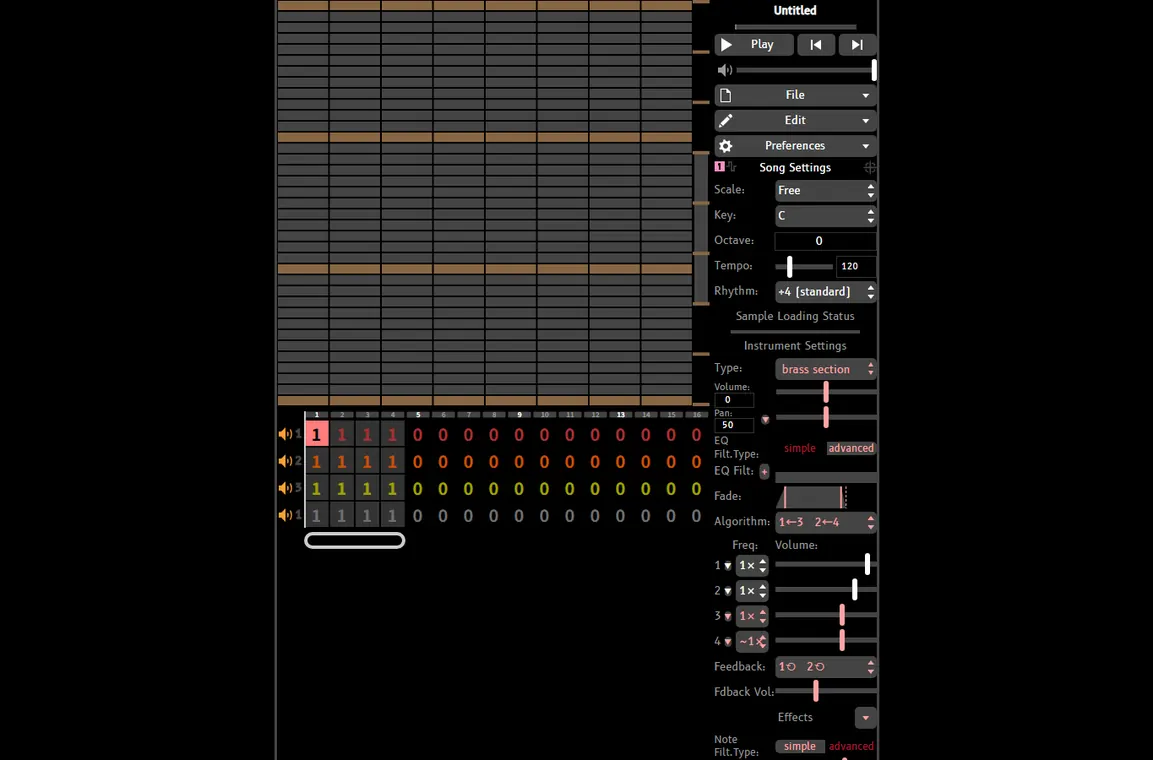
The Scale setting chooses the interval pattern, which determines the note names that belong to the palette. The Key setting transposes that pattern to a starting pitch. For example, C Major and D Major use the same major-scale shape at different pitches. Change Scale when you want a different interval pattern; change Key when you want to move the whole pattern without changing its shape.
These controls are in the editor's song settings. In the UltraBox screenshot below, Scale and Key appear together beside other song-level controls. The precise labels and list can differ in vanilla BeepBox and in other forks, so use the menu visible in your current editor as the source of truth.
A concrete example: the notes in C Major
C Major uses C, D, E, F, G, A, and B before the octave repeats. The remaining five pitch classes are not part of this scale. This map is a note-set example, not a promise that any sequence of the seven notes will sound like a finished tune.
C Major example: highlighted note names are in the scale; the yellow C marks the tonal starting point.
Which BeepBox scales should you choose?
Compare BeepBox scales by matching a starting palette to the phrase you want to write, then test a short loop. These descriptions are practical starting points, not fixed emotional rules: tempo, register, harmony, rhythm, and sound choice can change the effect.
| Scale family | Useful starting point | Try it when | Watch for |
|---|---|---|---|
| Major / Ionian | Bright, stable phrases with a familiar center | You want an easy first melody or a clear resolution | A happy scale can still sound tense if the rhythm or bass pushes against it |
| Minor / Aeolian | A darker palette with a clear tonic | You want a more reflective or dramatic starting color | Do not make every note long; contrast helps the phrase move |
| Major or Minor Pentatonic | A smaller set with fewer adjacent pitches | You want to sketch a hook quickly or reduce accidental clashes | Fewer notes do not automatically create a memorable motif |
| Dorian or Mixolydian | A modal color that keeps a strong tonal center | Major or minor feels too familiar and you want one changed scale degree | Keep the characteristic note audible in the phrase or accompaniment |
| Blues | A scale palette with extra tension around its central tones | You want bends, repeated motifs, or a rougher lead character | Use the tense note as motion; resolve or repeat it with intention |
| Free / Chromatic | Access to all twelve pitch classes | You need passing tones, unusual clusters, or exact imported notes | Choose a tonal center yourself because the scale no longer narrows the choices |
Across the available scales, Major and Minor give a clear center, pentatonic scales limit the note choices, and modal scales add a characteristic interval while using the same melody workflow.
Some lists also include Lydian, Phrygian, Whole Tone, Harmonic Minor, or Custom. The UltraBox bundle checked for this guide has several named modes; other versions may expose fewer or differently named entries. Read the active menu and listen before assuming two labels behave alike.
Use BeepBox scales to write a short melody
- Set a starting point. Choose a Key that is comfortable to hear or play, then select Major or Minor. Keep these settings unchanged until the first phrase is stable.
- Write a tiny motif. Use three to five notes and leave a rest. Repeat the motif once, then change only its last note so the second pass sounds like an answer rather than a copy.
- Give the bass a simple job. Start on the tonal center and move to one other note that supports the phrase. A bass note that changes every step can obscure which pitch feels like home.
- Listen at the phrase ending. Try ending on the tonal center for a settled loop. End on a different scale tone when you want the repeat to feel open or unresolved.
- Test one change at a time. If the melody feels too plain, change its rhythm or contour before switching scales. If the contour works but the mood does not, compare the same notes in Major and Minor.
Here is a simple C Major sketch: C, E, G, then a rest; repeat C and E, then finish on D before returning to C. The first three notes outline a familiar chord shape, while the final D delays the return. You can place the notes at different octaves or change their lengths without changing the scale. The example is a starting pattern, not a required progression.
Compare BeepBox scales: Major vs Minor
To compare BeepBox scales clearly, hold tempo, rhythm, instrument, register, and note placement steady. Change only Scale, then listen to the same phrase again. That comparison separates the interval pattern from the sound of a new preset or a different rhythm.
- Keep the motif, switch the scale: this makes the comparison easier because the rhythm and shape stay recognizable.
- Check the tonic: pause playback at the end of the loop and ask which note feels like the point of rest. If the answer is unclear, make the bass land on the tonal center more often.
- Check the supporting notes: a melody may fit the selected scale while a simultaneous bass or harmony creates an unintended clash. Listen to the whole arrangement, not only the lead lane.
- Use contrast deliberately: a major section can still be tense, and a minor section can still feel energetic. Tempo, note length, rests, and register have a large effect.
Common mistakes when choosing BeepBox scales
Changing Key when you meant to change Scale
Key moves the same scale pattern to a different pitch center. It does not convert Major into Minor. If the notes stay in the same pattern but sound higher or lower, you changed Key. If the intervals change, you changed Scale. Check both controls before rewriting a passage that was only transposed.
Assuming the scale writes the song for you
A scale is a palette, not a melody generator. In-scale notes can still feel repetitive or directionless. Use contour, repeated rhythm, silence, and a clear ending note; keep a short motif before adding decoration.
Leaving every note at the same pitch and length
BeepBox scales cannot replace phrasing. Give a hook a small leap, a repeated pitch, or a rest; vary note length so the listener can hear groups. In a grid editor, one longer note near the end of a bar can create more shape than several extra notes packed into every beat.
Copying a tutorial's menu names into a different fork
BeepBox-family editors share ideas but can ship different scale names, controls, and compatibility behavior. If a tutorial says “Easy” while your menu says “Major Pentatonic,” do not assume they are identical. Check the current list, compare the available notes in a small test, and keep the saved song URL before changing a larger project.
What BeepBox scales do not control
BeepBox scales do not choose a progression, groove, instrument, octave, note length, or arrangement. They may not rewrite notes in an imported pattern. Use the palette to focus note entry, then listen for how voices combine and the loop resolves.
UltraBox's local editor bundle includes options such as Free, Major, Minor, modal scales, pentatonic choices, Blues, Whole Tone, and Custom. This is an observed list for that bundle, not a promise about every BeepBox version. If you share a song with someone using another fork, tell them which editor you used and verify the result after opening the song there.
FAQ
What do BeepBox scales do?
BeepBox scales select a pitch pattern for note entry. They can narrow or emphasize the notes you use, but they do not compose a melody or guarantee that every chord and rhythm will sound resolved.
What is the difference between Key and Scale?
Scale chooses the interval pattern. Key transposes that pattern to a starting pitch. Changing C Major to D Major moves the same pattern; changing Major to Minor changes the pattern.
Which BeepBox scales are easiest for a first song?
Try Major for a familiar bright starting point or Minor for a darker one. Pentatonic scales can make a first melody easier to sketch because they use fewer pitch classes.
Does every BeepBox mod have the same scale list?
No. Vanilla BeepBox, UltraBox, and other forks can expose different names and options. Check the active editor's menu and test a short pattern instead of relying on a screenshot from another version.
Can the right scale prevent dissonance?
It can reduce some note choices, but it cannot prevent every clash. Simultaneous notes, bass movement, register, duration, and rhythm all affect the result.
Editor reference
The Scale and Key controls shown here come from the UltraBox editor included on this site. For the current public editor, open UltraBox; its menu is the best check for the version you are using.
For broader composition steps, continue with the authentic chiptune guide or see how instruments divide musical roles in the 8-bit instruments guide.
Try the same motif in two scales
Open UltraBox, save a short loop, and compare Major with Minor while keeping the rhythm and instruments fixed.