Musical Instruments Used in 8 Bit Music: Complete Guide
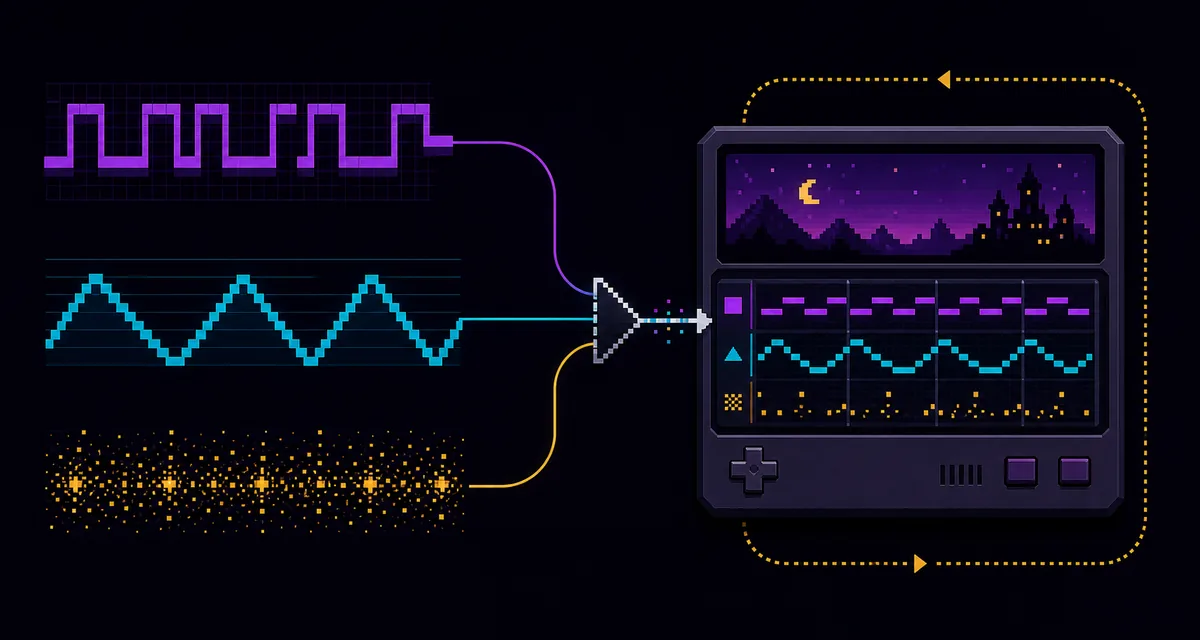
The musical instruments used in 8 bit music are usually not recordings of guitars, pianos, or drum kits. Classic game systems generated a few electronic voices in real time: pulse or square waves for melodies, a triangle-like wave for bass, noise for percussion, and sometimes a small sample channel for short hits or vocal fragments.
Why 8-Bit “Instruments” Are Really Sound-Chip Voices
On early consoles and home computers, storage and audio hardware were limited. Instead of streaming a studio recording, a game sent note data and settings to a sound chip. The chip produced a waveform, changed its pitch and volume, and repeated that process fast enough to create music.
This is why searches for 8 bit music instruments can be confusing. The musical functions are familiar—melody, harmony, bass, drums—but the tone generators are electronic building blocks. A composer might write a trumpet-like fanfare, yet the machine performs it with a narrow pulse wave. A kick drum might be a fast downward pitch sweep plus a burst of noise rather than a recorded drum.
The practical lesson is simple: choose each channel by job. If every voice is a huge modern synth patch, the arrangement may sound retro-themed, but it will not behave like classic chiptune. The authentic chiptune tutorial explains how those limits shape a complete song.
Core Musical Instruments Used in 8 Bit Music
| Chip voice | Musical role | Typical sound | Writing habit |
|---|---|---|---|
| Pulse / square wave | Lead, harmony, arpeggio | Bright, buzzy, nasal, cutting | Use short notes, octave jumps, vibrato, and pulse-width contrast |
| Triangle-like wave | Bass, low ostinato | Rounder and softer than a square wave | Keep the line simple and rhythmically supportive |
| Noise generator | Snare, hi-hat, cymbal, texture | Hiss, crack, burst, metallic noise | Shape note length and noise color to separate drum roles |
| Sample / DPCM voice | Kick, tom, voice hit, special accent | Short crunchy playback | Reserve it for moments that waveforms cannot express clearly |
| Wavetable voice | Lead, bass, pad-like color | Custom repeating waveform | Use a small waveform and preserve its stepped character |
Pulse and square waves
The pulse lead is the sound most listeners recognize immediately. A 50% duty cycle resembles a square wave; narrower pulse widths sound thinner and more nasal. Two pulse channels can trade melody and harmony, or one can rapidly arpeggiate chord tones.
Triangle and simple low waves
A triangle-like bass leaves room for the sharper lead. Classic bass writing often follows roots, fifths, and short walking movements instead of long sub-bass notes. Clear rhythm matters more than a large low-end effect chain.
Noise percussion
Noise becomes several percussion instruments through envelope length and pitch. A tiny bright burst suggests a hi-hat, a longer darker burst suggests a snare, and a pitched drop can reinforce a kick.
Samples and wavetable colors
Later or more capable systems expanded the palette with tiny samples, programmable waveforms, or extra synthesizer channels. These colors are useful, but a sparse arrangement still creates the strongest period feel.
The Exact Palette Depends on the Console
There was no single universal 8-bit orchestra. The Nintendo Entertainment System is commonly described through two pulse channels, a triangle channel, a noise channel, and a DPCM sample channel. The Game Boy offers two square-wave channels, a programmable wave channel, and noise. Other computers and arcade boards used different programmable sound generators, wavetable systems, or synthesizer chips.
That means “authentic” depends on the reference system. If you want an NES-like result, make pulse, triangle, and noise roles obvious. For a Game Boy-like result, a small custom wave can handle bass or lead color. For a broader 8-bit style rather than strict hardware emulation, keep the same channel discipline while choosing the timbres that best communicate the melody.
How to Recreate These Instruments in UltraBox
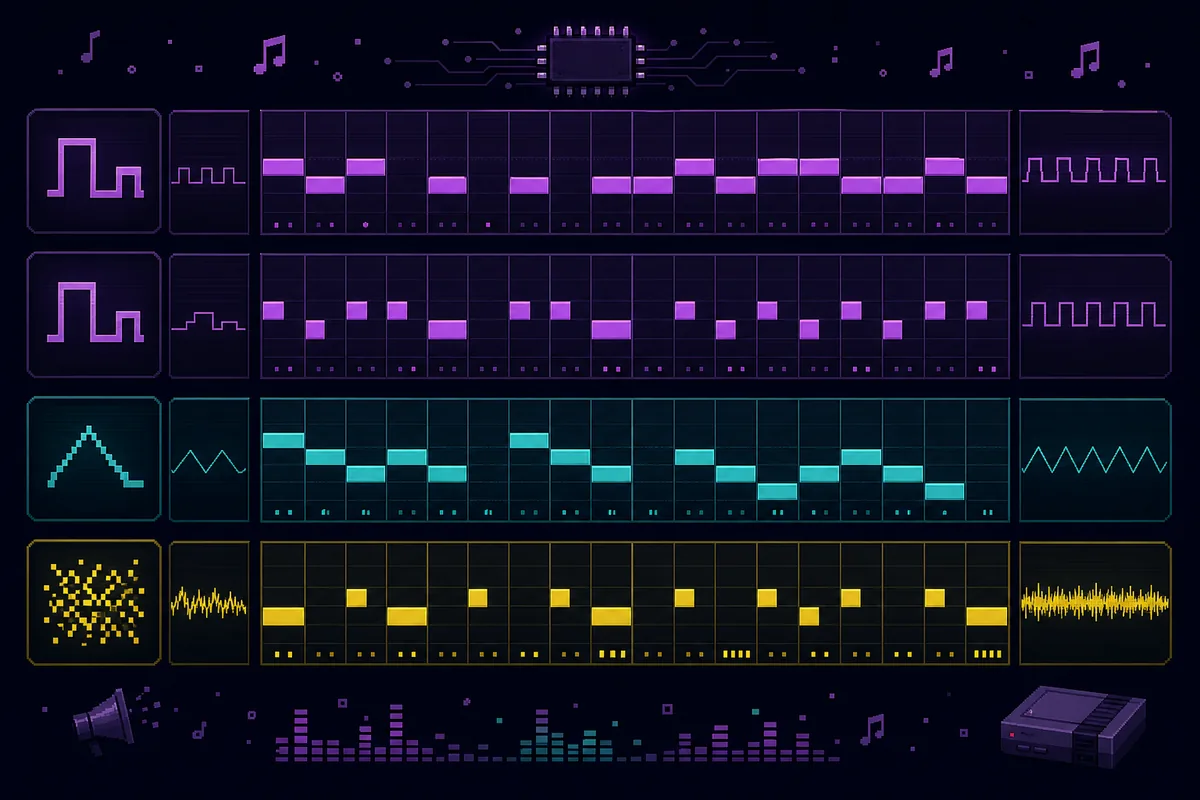
UltraBox provides far more flexibility than a classic console, so the main challenge is restraint. Start with four channels even though more are available. Name the roles mentally before choosing sounds: lead, support, bass, and drums. Add extra channels only when the song has a clear musical need.
- Create a pulse-style lead. Choose a simple bright waveform, write the melody in a comfortable upper register, and use short vibrato or pitch bends sparingly.
- Add a contrasting support voice. Use a different pulse width, octave, or note length. Let it answer the melody or play chord tones as arpeggios instead of holding thick chords.
- Build a narrow bass line. Choose a triangle-like or smooth simple wave. Follow the harmony with roots and occasional passing notes.
- Program noise drums. Separate kick, snare, and hat impressions through note length, pitch, and rhythm rather than loading a full acoustic kit immediately.
- Test the loop before adding polish. If the melody, bass, and beat are readable with dry simple sounds, the arrangement is working.
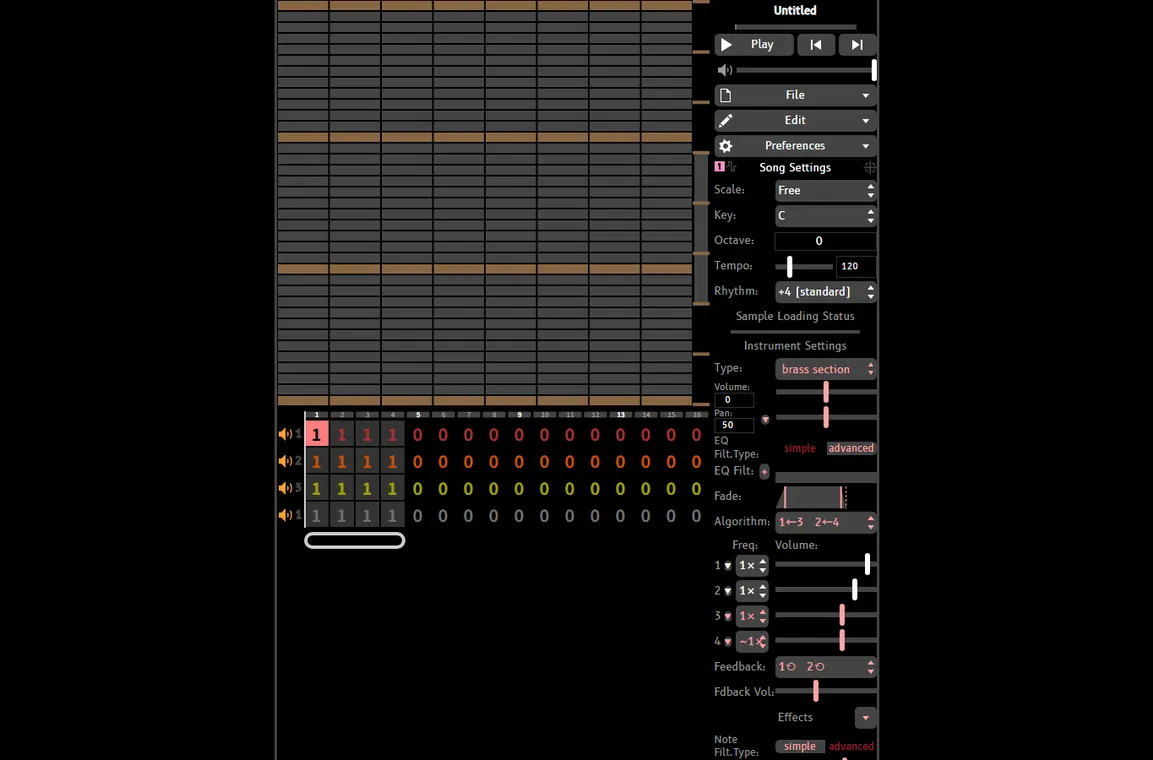
When the four-lane version works, decide whether the project is strict chiptune or modern chip-inspired music. Strict work should preserve the channel and waveform limits of the chosen system. Modern work can add FM layers, effects, stereo width, or custom samples, but the original chip roles should remain audible.
Common Instrument-Selection Mistakes
Using a giant preset for every channel
Large pads, supersaws, long reverbs, and layered drums quickly hide the note writing. Begin with dry, narrow voices and let the composition create movement.
Calling any low-resolution audio “8-bit”
Reducing bit depth changes texture, not arrangement. A bitcrushed MP3 still contains the original instruments. If your goal is an editable game-style version, use the song-to-8-bit rebuilding workflow instead of relying on a file converter.
Writing full block chords on every beat
Limited systems often imply harmony with arpeggios, alternating notes, and melodic counterpoint. This creates motion while preserving channels for bass and drums.
Adding samples before the core loop works
Samples can add personality, but they should solve a specific problem. Write the lead, bass, and noise groove first; then use a sample for a kick accent, voice hit, or texture the waveform channels cannot provide.
Which Instrument Should You Choose First?
Start with the lead because it defines the register and energy of the track. Choose a pulse sound that remains clear at low volume, write a four- or eight-bar melody, and then select the bass and percussion around it. If you are studying an existing song URL, the BeepBox songs guide shows how to inspect patterns without confusing public access with remix permission.
For beginners, the best first exercise is a four-channel loop: pulse lead, pulse arpeggio, triangle-like bass, and noise drums. Once that loop is memorable, continue with the full chiptune composition guide to arrange sections, transitions, and exports.
Frequently Asked Questions
What instruments are used in 8-bit music?
Classic 8-bit music mainly uses chip-generated pulse or square waves, triangle-like bass, programmable waveforms, noise percussion, and limited samples. These voices perform the musical jobs of lead, harmony, bass, and drums.
Did 8-bit video game music use real instruments?
Usually not as recordings. Composers wrote music with familiar instrumental ideas, but the console generated the sound through its audio hardware. Some systems could play short samples, and later games used larger sample libraries.
What waveform should I use for a lead?
Begin with a pulse or square wave. Change pulse width, octave, note length, and vibrato before adding effects. A narrow pulse is useful for a thin counter melody, while a fuller square sound works well for a main theme.
How do 8-bit songs make chords with few channels?
They often play chord notes rapidly as arpeggios, alternate notes between channels, or let the bass and melody imply the harmony together. This is more efficient than holding several notes at once.
Can UltraBox make strict console-style chiptune?
UltraBox can reproduce the main musical roles, but strict hardware accuracy requires you to impose the target console's channel and waveform limits yourself. Use the editor's extra features only when they fit the chosen style.
Technical References
- NESdev APU reference — channel overview for NES audio hardware.
- Pan Docs: Game Boy audio — square, wave, and noise channel behavior.
- Official UltraBox source repository — current editor and offline project source.
Build a Four-Channel 8-Bit Loop
Open UltraBox and assign one clear job to each channel before adding modern layers.
Open UltraBox EditorFollow the Chiptune Tutorial