How to Make Authentic Chiptune Music in UltraBox
Authentic chiptune music is not just an MP3 with a lo-fi filter. It comes from writing within limits: a few clear channels, simple waveforms, short envelopes, noise percussion, tight melodies, and arrangement choices that feel like they could run on older game hardware. UltraBox gives you modern comfort, but the most believable results still start with those restrictions.
Quick Navigation
The Short Answer
To make authentic chiptune music, write a small arrangement first: one lead lane, one harmony or counter-melody lane, one bass lane, and one noise percussion lane. Use square or pulse-like sounds for leads, a triangle-like or simple low waveform for bass, and short noise bursts for drums. Keep melodies readable, use arpeggios instead of full modern chords, and make changes by muting, varying, or swapping patterns rather than stacking many new layers.
UltraBox can do far more than an old console, which is useful for finishing songs, exporting audio, and sketching quickly. The mistake is using every feature at once. If your goal is accurate chiptune, start with constraints; then add one modern convenience only when it solves a musical problem.
| Chiptune habit | Why it works | UltraBox action |
|---|---|---|
| Limit channels | Older game music often had to imply harmony with only a few voices. | Sketch with four core lanes before adding extra channels. |
| Use simple waves | Pulse, square, triangle, and noise colors read as chip-like immediately. | Choose simple instrument tones before reaching for samples or rich FM stacks. |
| Write arpeggios | Fast broken chords imply harmony without using many simultaneous notes. | Place chord tones across quick notes in one lane instead of using full pads. |
| Keep percussion short | Noise bursts can suggest kick, snare, hats, and fills with very little material. | Use brief noise hits and pattern variation rather than long drum loops. |
Why Song-to-8-Bit Conversion Is Different
Searchers often ask for a "song to 8bit" workflow, but that phrase can mean two very different things. A converter takes an existing audio file and applies a stylized effect. It may be useful for a quick joke, preview, or texture, but it does not rebuild the composition as chiptune. It cannot decide which notes become a pulse lead, which bass notes should be simplified, or where a noise fill should replace a real drum kit.
Real chiptune arrangement is closer to transcription and reduction. You decide what the song actually needs, then rewrite it for limited voices. If you are starting from another song, first identify the melody, bass movement, chord rhythm, and drum accents. Then rebuild those parts inside UltraBox rather than importing the whole audio file. If you only need custom samples, use the UltraBox samples guide and the SF2 to WAV workflow; if you want the song itself to feel 8-bit, rewrite the notes.
Practical Rule
If you can mute one channel and still understand what it contributes, you are arranging. If you only changed the sound of a finished MP3, you are processing audio. Both can be creative, but only the first one teaches you how chiptune music works.
Build a Limited Channel Plan First
A strict four-lane plan is the fastest way to avoid muddy beginner chiptune. You do not have to copy a specific console exactly, but the discipline matters: every lane should earn its place. A useful starting layout is lead, support, bass, and noise drums.
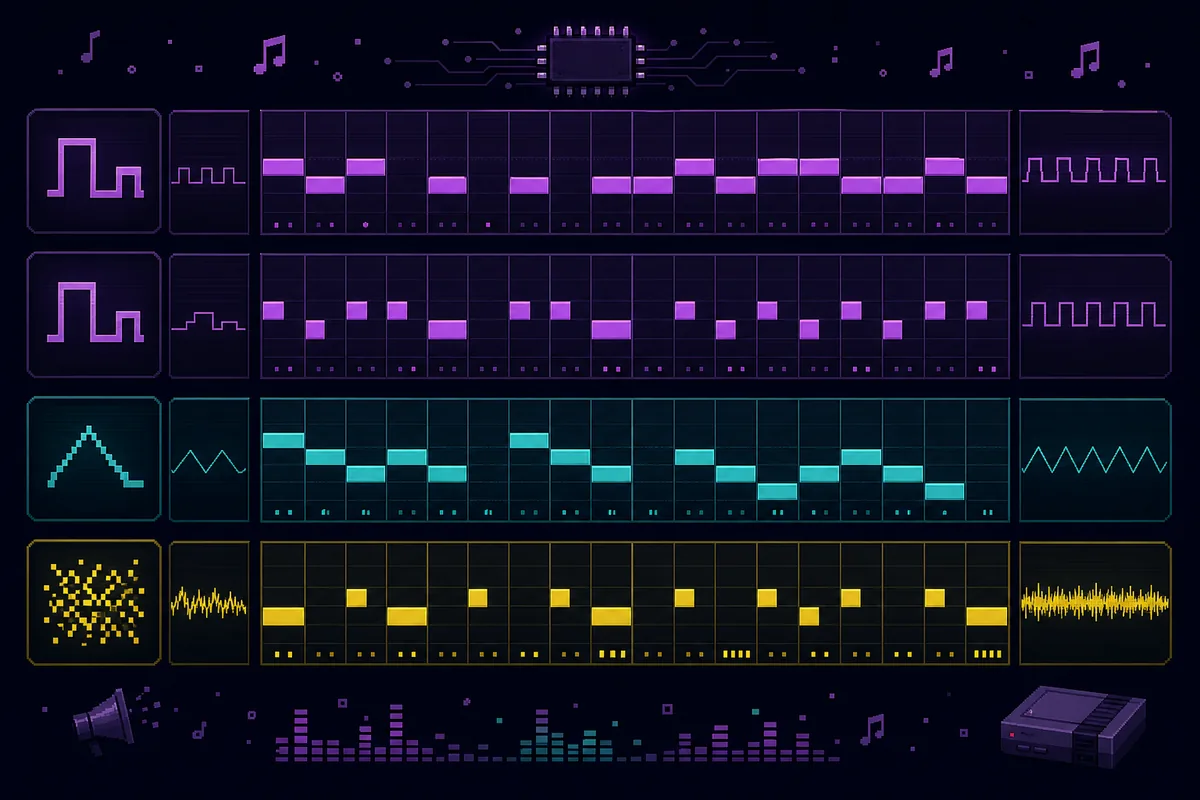
| Lane | Musical job | Beginner writing tip |
|---|---|---|
| Lead | Main melody, hook, or top-line motif. | Use short phrases with rests. Chiptune melodies often need space more than speed. |
| Support | Counter melody, chord fragments, or echo response. | Answer the lead instead of playing constantly over it. |
| Bass | Root motion, groove, and harmonic foundation. | Use simple octaves and passing notes. Keep the low end clean. |
| Noise | Kick suggestion, snare, hats, crashes, and fills. | Make hits short. Vary the final bar of each phrase for movement. |
Choose Authentic Waveforms and Drums
Start with simple tones before complex synthesis. A square or pulse-like sound gives you a direct lead. A softer triangle-like bass supports the melody without stealing attention. Noise percussion supplies rhythm without needing realistic drum samples. If you use UltraBox FM or samples, keep them intentionally small: a bright attack, a short body, and not much stereo width.
For a dedicated kick, snare, and hat workflow, continue with the BeepBox drums guide before expanding the full arrangement. It covers the spacing and short-hit decisions that make this section easier to hear.
Duty-cycle contrast is one of the most useful tricks. One pulse sound can feel nasal and thin, another can feel wider and stronger. Switch tone color between sections to create contrast without adding more notes. For chords, try rapid arpeggios: root, third, fifth, and octave across a fast repeating pattern. This suggests harmony while preserving the limited-channel illusion.
Write an Eight-Bar Loop That Can Grow
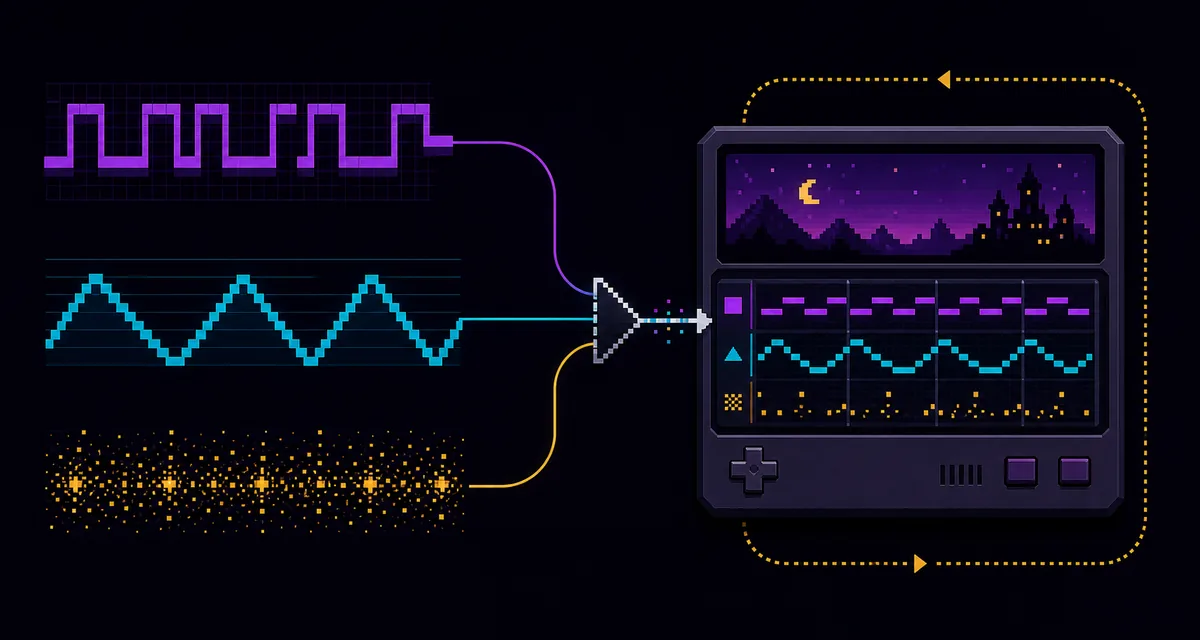
An eight-bar loop is a good test because it is long enough for a phrase but short enough to revise quickly. Begin with the bass and drums if rhythm matters, or the lead if the hook matters. Do not fill every beat immediately. Place the most memorable idea first, then use the other lanes to support it.
- Set the pulse. Choose a tempo and drum feel. A simple kick-snare-hat implication is enough.
- Write the bass path. Use roots, octaves, and occasional passing notes. Make sure it loops cleanly back to bar one.
- Add the main melody. Keep it singable. If it sounds good when hummed, it will usually survive simple chip tones.
- Add support only where needed. Use call-and-response, short chord arpeggios, or a harmony note at phrase endings.
- Make bar eight special. Add a fill, pause, rising arpeggio, or changed drum hit so the loop turns around with intention.
Arrange the Loop into a Full Track
Once the loop works, arrange it instead of duplicating it forever. The BeepBox song length guide explains the timeline and loop-region mechanics in detail, but the musical idea is simple: repeat with a reason. Remove a lane for the intro, add the support lane later, change the lead color for the second half, and write a stronger fill before the ending.
UltraBox's extra channels are useful here if you use them as arrangement tools, not as clutter. Add a one-bar harmony lift, a short sample accent, or a modulation move at a transition. Then mute it again. Chiptune energy often comes from contrast: thin to full, dry to bright, sparse to busy, stable to rising.
| Section | What changes | Why it helps |
|---|---|---|
| Intro | Bass plus a quiet lead fragment, no full drums yet. | Introduces the sound world without giving away the full loop. |
| Main A | Full lead, bass, and noise groove. | States the core idea clearly. |
| Variation B | Changed lead duty, extra arpeggio, or different drum fill. | Creates development while keeping the same identity. |
| Return | Main idea returns with one stronger ending move. | Makes the track feel finished rather than merely stopped. |
Common Beginner Mistakes
- Using too many rich sounds: wide pads, long reverbs, and layered samples can erase the chip identity quickly.
- Writing full block chords everywhere: try arpeggios, implied harmony, and short support notes instead.
- Forgetting rests: old-school melodies often feel strong because the empty spaces are deliberate.
- Making drums too realistic: noise hits and tiny pitch drops usually fit better than full acoustic kits.
- Only exporting audio: save the editable song URL or JSON/project backup too. The UltraBox saving guide covers that workflow.
When to Use More UltraBox Power
Strict limits are a learning tool, not a law. Once the track already works, UltraBox can help you polish it with custom samples, FM tones, extra channels, and modulation. The key is to keep the chiptune role clear. A small sampled clap can replace a noise snare if that is the style you want. A subtle FM bell can become a lead color. A mod channel can create a short pitch bend or filter motion. If the added feature makes the arrangement easier to understand, keep it. If it only makes the mix bigger, mute it and compare.
For tool choice, read the UltraBox vs BeepBox comparison. For broader editor options, the BeepBox mods guide explains when UltraBox, JummBox, vanilla BeepBox, and other forks make sense.
FAQ
How do I make chiptune music sound authentic?
Use limits first: a small number of channels, simple waveforms, short envelopes, arpeggios, and noise percussion. Avoid modern layering until the basic loop already works.
Can UltraBox make 8-bit music?
Yes. UltraBox can make 8-bit-style music very well, but you should choose simple tones and write with chip-style constraints instead of using every advanced feature at once.
Is a song-to-8-bit converter enough?
No, not if you want authentic chiptune. A converter changes audio texture. Chiptune composition means rewriting melody, bass, harmony, and percussion for limited voices.
What is the easiest first chiptune project?
Write an eight-bar loop with one lead, one bass, one noise drum lane, and one support lane. Then create a 16- or 32-bar arrangement by muting, varying, and returning those parts.
Sources and Related References
- Musical Instruments Used in 8 Bit Music - understand pulse leads, triangle bass, noise drums, samples, and console-specific channel roles.
- BeepBox official site for the browser-based song editor lineage behind UltraBox-style workflows.
- UltraBox source repository for project background and official code.
- Nesdev APU reference for classic pulse, triangle, noise, and channel-limit context.
- Chiptune overview for general historical context around chip music and tracker-style composition.
Start with a Small Loop
Open UltraBox, make four disciplined lanes, and finish one eight-bar loop before adding extra channels or effects.