BeepBox Songs Guide: Find, Open, Study, and Share Song URLs
Searching for BeepBox songs usually means one of four things: you want example songs to learn from, a public archive to browse, a safe way to save your own song, or a path for moving a simple BeepBox sketch into a more capable editor such as UltraBox. This guide focuses on that complete workflow instead of only listing random links.
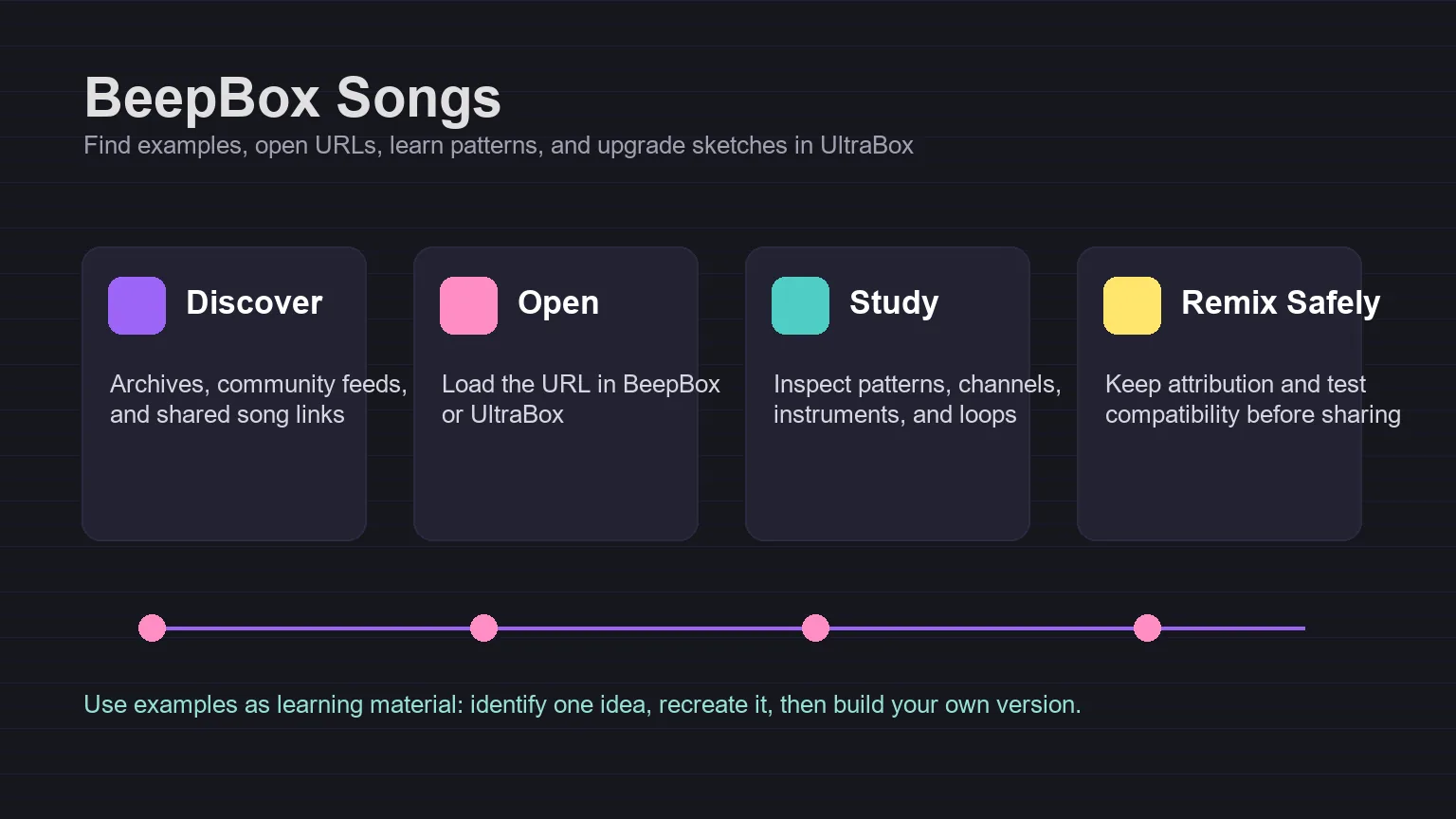
In this guide
Quick Answer
To find BeepBox songs, start with public song archives and community posts, then open the full song URL in a BeepBox-family editor. To save your own song, copy the complete URL after your changes are finished. To make a larger version, open the sketch in UltraBox and expand it with more channels, custom samples, FM synthesis, modulation, or export options.
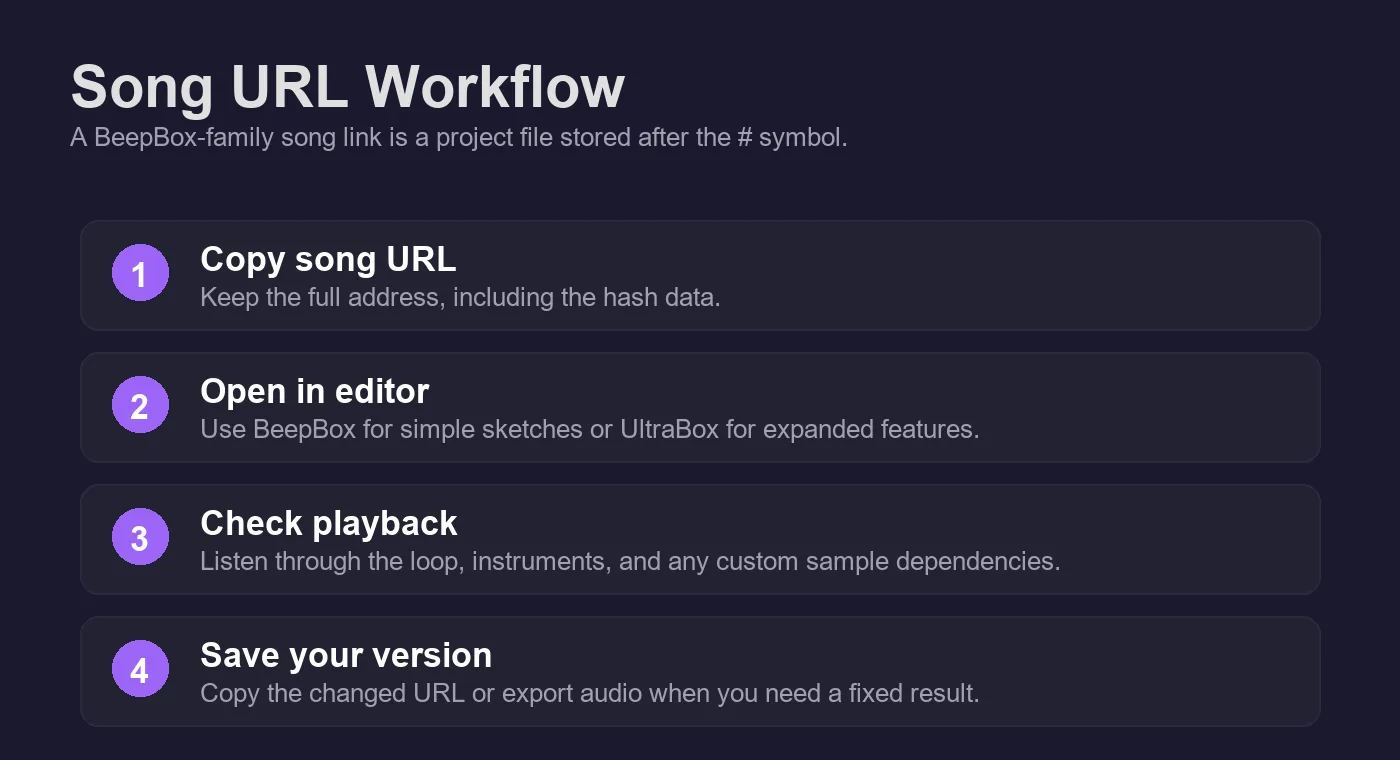
The important detail is that a BeepBox-family song link is not just a normal page URL. The project data is encoded into the address, commonly after the # symbol. That is why a copied URL can reopen notes, patterns, instruments, tempo, and song settings without requiring an account or cloud storage. It is also why you should copy the whole URL, not just the domain.
What Counts as a BeepBox Song?
A BeepBox song is a browser-based music project built in the BeepBox grid workflow or in a compatible fork. At minimum it usually contains note patterns, bar order, instrument settings, rhythm, scale, tempo, and channel information. Short loops, game soundtrack sketches, classroom exercises, full chiptune tracks, and experimental sound-design studies can all count as BeepBox songs.
The reason people search for examples is practical: BeepBox is visual. You can learn a lot by seeing how another creator arranged bars, reused patterns, changed instrument envelopes, or built a drum part with a small set of sounds. A shared song is both something to listen to and something to inspect. That makes it different from a normal audio file, where the notes and settings are usually hidden.
Loop
A short idea, often 4 to 16 bars, useful for learning melody, drums, or bass movement.
Sketch
A rough song draft with enough structure to show a mood, section, or arrangement idea.
Full song
A complete piece with intro, variation, transitions, and a deliberate ending or loop point.
Remix base
A shared URL used as a starting point, with permission and clear attribution when published.
Where to Find BeepBox Song Examples
The best source depends on what you want to do with the song. If you only want inspiration, browse public archives and community shares. If you want to learn technique, choose songs that still open cleanly in the editor so you can inspect their patterns. If you want to reuse or remix a song, look for clear permission from the creator first.
| Source | Best for | What to check |
|---|---|---|
| Official BeepBox editor | Understanding how song URLs, patterns, instruments, and sharing work. | Read the built-in instructions and confirm the full URL updates after edits. |
| BeepBox Twitter archive | Browsing thousands of older shared songs and finding unusual examples. | Some old links may use older BeepBox versions, so test playback before studying details. |
| Community boards and social posts | Recent songs, playlists, feedback threads, covers, and creator notes. | Check attribution, remix rules, and whether the link is still public. |
| UltraBox community spaces | Advanced songs using expanded channels, samples, FM, themes, or modulation. | Confirm whether the song depends on external custom sample URLs. |
A good search session starts narrow. Instead of searching only for "BeepBox songs," try phrases such as "BeepBox song examples," "BeepBox chiptune song," "BeepBox cover," "BeepBox boss theme," or "UltraBox songs." These reveal different intent clusters: learning examples, finished tracks, covers, game-music style pieces, and more advanced fork-specific projects.
How to Study a Shared BeepBox Song URL
Treat an example song like a small project file. Do not try to understand the whole thing in one pass. Pick one question, inspect that part, then return to your own song and apply the idea. This keeps learning concrete and avoids copying the entire arrangement.
Listen before editing
Play the full loop or track once without changing anything. Notice the main hook, drum pattern, bass movement, section length, and whether the song is meant to loop forever or finish naturally.
Inspect one layer at a time
Mute or solo channels if the editor version supports it. Start with drums, then bass, then lead. Ask one narrow question: How does the bass support the melody? How often does the drum pattern change? Which bars create contrast?
Map the pattern structure
Look at the numbered pattern boxes. Many strong BeepBox songs reuse simple patterns with small changes. Write down the form in plain language, such as intro, main loop, variation, break, return.
Recreate the idea in a blank song
Do not paste the whole song into your project. Rebuild one concept from memory: a bass rhythm, a drum fill, a chord shape, or a section transition. This helps you learn the method instead of copying the result.
When to Open BeepBox Songs in UltraBox
Vanilla BeepBox is excellent for fast sketches because it keeps the interface focused. UltraBox becomes useful when the song idea starts pushing against those limits. If your sketch needs more channels, more detailed sound design, custom samples, advanced FM synthesis, modulation, or a richer export workflow, open the song in UltraBox and treat the original BeepBox URL as the clean source version.
This is a good upgrade path for creators who already have a melody or loop but want a fuller arrangement. Start in BeepBox when speed matters. Move to UltraBox when production depth matters. The two-step workflow also makes collaboration easier: a simple BeepBox link communicates the core idea, while the UltraBox version can hold the expanded arrangement.
| Goal | Stay in BeepBox when... | Move to UltraBox when... |
|---|---|---|
| Quick melody | You only need a small loop or class exercise. | You want a polished arrangement with more layers. |
| Sound design | Basic waveforms and simple instruments are enough. | You need 6-op FM, deeper envelopes, filters, or modulation. |
| Samples | The song uses only built-in synth sounds. | You want custom samples, SoundFont-derived WAVs, or hosted audio references. |
| Sharing | A compact URL is enough for feedback. | You need an advanced project, exported audio, or offline editing. |
How to Save and Share Your Own BeepBox Songs
The simplest save method is still the most important one: copy the complete URL from the browser address bar. Save it somewhere durable, such as a notes file, project document, bookmark folder, or versioned text file. If the URL is very long, do not trim it. The long encoded part is the song.
Before sharing a link publicly, test it from a private browser window. That confirms the URL opens without relying on your current tab state. If the song uses only built-in sounds, it should usually reopen from the URL alone. If the song uses custom samples in UltraBox, the hosted sample files must also remain public and reachable. For that workflow, use the Audio to JSON custom sample guide and the SF2 to WAV guide.
If you are saving an UltraBox version of a song, use the How to Save on UltraBox guide to keep the full URL, audio exports, editable backups, and custom sample files together. If the song feels too short after you study it, the Make BeepBox Songs Longer guide explains how to extend bars, patterns, and loop regions into a complete arrangement.
When you want to turn a studied melody or cover idea into a more believable 8-bit style arrangement, use the authentic chiptune music guide to reduce the idea into lead, bass, support, and noise lanes instead of relying on a song-to-8-bit converter.
Practical archive habit: keep three things for important songs: the song URL, an exported audio file, and a short note describing the editor version or fork used. If the project uses custom samples, also save the original sample files and their licenses.
Common Mistakes When Learning from BeepBox Songs
Copying a whole arrangement instead of one idea
Full-song copying teaches less than focused reconstruction. Choose one technique: a call-and-response melody, a syncopated kick pattern, a two-bar bass variation, or a transition into a louder section. Rebuild that technique in your own context.
Ignoring version and fork differences
Older BeepBox songs, JummBox songs, UltraBox songs, and other fork songs may not behave identically. If a link does not sound right, try the editor or version it was created for before assuming the song is broken.
Assuming public means reusable
Publicly posted songs are useful for listening and learning, but reuse is a separate question. Ask permission before releasing a remix, cover, game soundtrack, video background, or sample pack based on another creator's work.
Recommended Internal Links
New users should start with the UltraBox tutorials for composition basics, compare editor choices in the BeepBox mods guide, and use the UltraBox vs BeepBox comparison when deciding whether a song should stay simple or move into a more advanced editor. If you need offline use, read the official UltraBox download guide.
Sources checked on June 2, 2026: the official BeepBox editor, the BeepBox Twitter archive, the UltraBox GitHub organization, and public community song-sharing results for BeepBox.