Song to 8-Bit: Turn an MP3 Idea into Real Chiptune
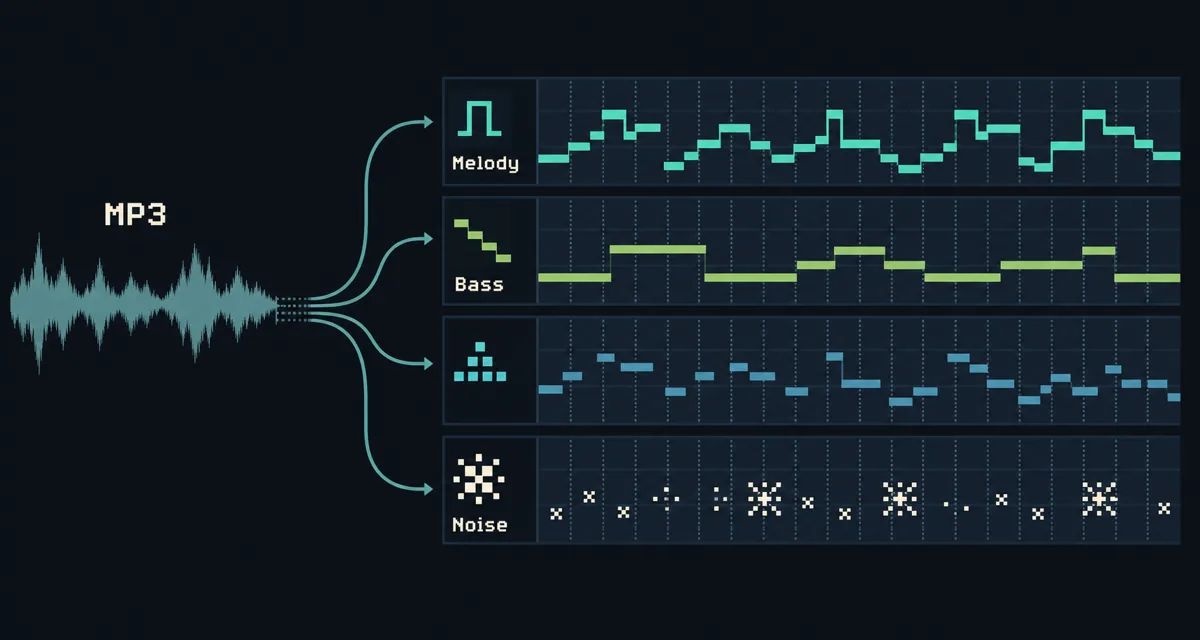
A song-to-8-bit converter can make an MP3 sound crunchy, but it usually cannot create authentic chiptune. The better workflow is to use the original song as a reference, identify the melody, bass, chords, and drum accents, then rebuild those parts in UltraBox with limited channels, simple waveforms, arpeggios, and noise percussion.
Quick Navigation
The Short Answer
If you want to turn a song into 8-bit music, do not start by importing the whole MP3 and hoping the editor will understand it. Start by listening for the song's essential parts: lead melody, bass movement, chord rhythm, and drum accents. Then rebuild only those parts in UltraBox using a small channel plan. This gives you a playable chiptune version instead of a distorted copy of the original recording. If you are unsure which chip voice should perform each role, use the 8-bit music instruments guide before choosing sounds.
This page is intentionally different from the broader how to make chiptune music guide. That guide teaches original chip-style writing from scratch. This one is for people searching "song to 8bit", "8-bit music maker from MP3", or "turn music into 8 bit music" and trying to convert an existing song idea into a believable arrangement.
| Goal | Fast but weak method | Better UltraBox method |
|---|---|---|
| Make an MP3 sound retro | Bitcrusher, downsampling, or a one-click filter. | Use only for a rough texture preview, not the final arrangement. |
| Make a real 8-bit cover | Import the full audio and reduce quality. | Transcribe the core parts and rebuild them with chip-style instruments. |
| Keep the song editable | Export a processed audio file only. | Save the UltraBox song URL or project data plus a final audio export. |
| Learn from the song | Let a converter hide the musical decisions. | Write the melody, bass, drums, and harmony yourself in limited lanes. |
Converter Effect vs Real 8-Bit Arrangement
"8-bit" can describe a sound effect or a composition style. A sound effect changes the surface of the audio. It may reduce bit depth, reduce sample rate, add aliasing, or emphasize harsh square-like tones. That can be fun, but the original recording still contains full vocals, real drums, wide stereo layers, reverb tails, and dense chords that old chip hardware would not play in the same way.
A real 8-bit arrangement changes the musical structure. You decide which notes matter, which chord tones can be implied, which drum hits become noise bursts, and which parts should be omitted. In other words, you make a small band out of the song. UltraBox is useful because it gives you enough editing comfort to do that quickly while still letting you impose strict limits.
Practical Rule
If the result is one flattened audio file, you made an effect. If the result has editable melody, bass, chord, and drum lanes, you made an arrangement. For searchers who want "song to 8bit" results that sound musical, the arrangement path is usually the one worth learning.
Step 1: Map the Reference Song
Before opening UltraBox, listen to the song in sections. You do not need a perfect transcription at first. You need a map of what each section is doing. Write down the chorus melody, the bass roots, the chord rhythm, the drum pattern, and any hook that listeners would miss if it disappeared.
Use a short loop of the reference while taking notes. If the song has vocals, focus on the vocal melody or the most recognizable instrumental hook. If the drums are busy, reduce them to kick, snare, hat, and one fill. If the harmony is dense, start with the bass note and the main chord quality rather than every inner voice.
| Reference part | What to capture | 8-bit reduction |
|---|---|---|
| Lead or vocal | Contour, phrase endings, repeated hook notes. | One pulse or square-style lane with clear rests. |
| Bass | Root movement, rhythm, octave jumps, turnarounds. | Triangle-like or simple low wave with short, readable notes. |
| Chords | Chord changes and rhythm, not every voicing detail. | Fast arpeggios, short stabs, or a counter-melody lane. |
| Drums | Kick/snare placement, hats, fills, section transitions. | Noise percussion and short pitch/noise accents. |
Step 2: Rebuild the Song in UltraBox
Open UltraBox and create a disciplined four-lane sketch before adding anything extra. Use one lane for the main melody, one for bass, one for chord arpeggios or support, and one for noise drums. The exact instrument names depend on your patch choices, but the roles should stay clear. The goal is not to copy the production. The goal is to make the song recognizable inside a smaller chip-style vocabulary.
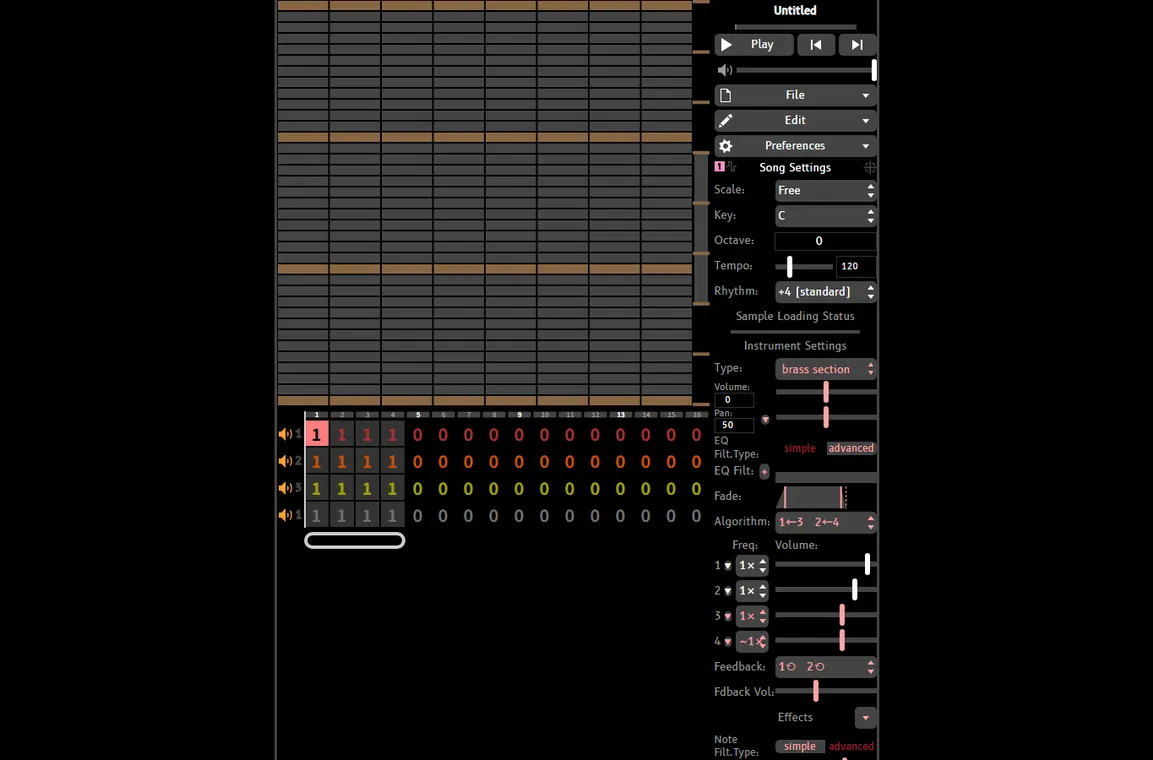
- Start with the chorus or main hook. A recognizable eight-bar loop is more useful than a full but inaccurate cover.
- Write the melody first if the song is vocal-led. Use rests where the singer breathes or the hook pauses.
- Add bass roots before chords. A clean bass lane makes the whole cover feel intentional.
- Use arpeggios for harmony. Break chord tones into quick notes instead of stacking large modern chords.
- Translate drums into noise. Use short noise hits for snare and hats, and a low short hit or pitch move for kick impact.
- Compare against the reference in short sections. Fix the musical contour before polishing sound design.
Step 3: Choose Sounds That Read as 8-Bit
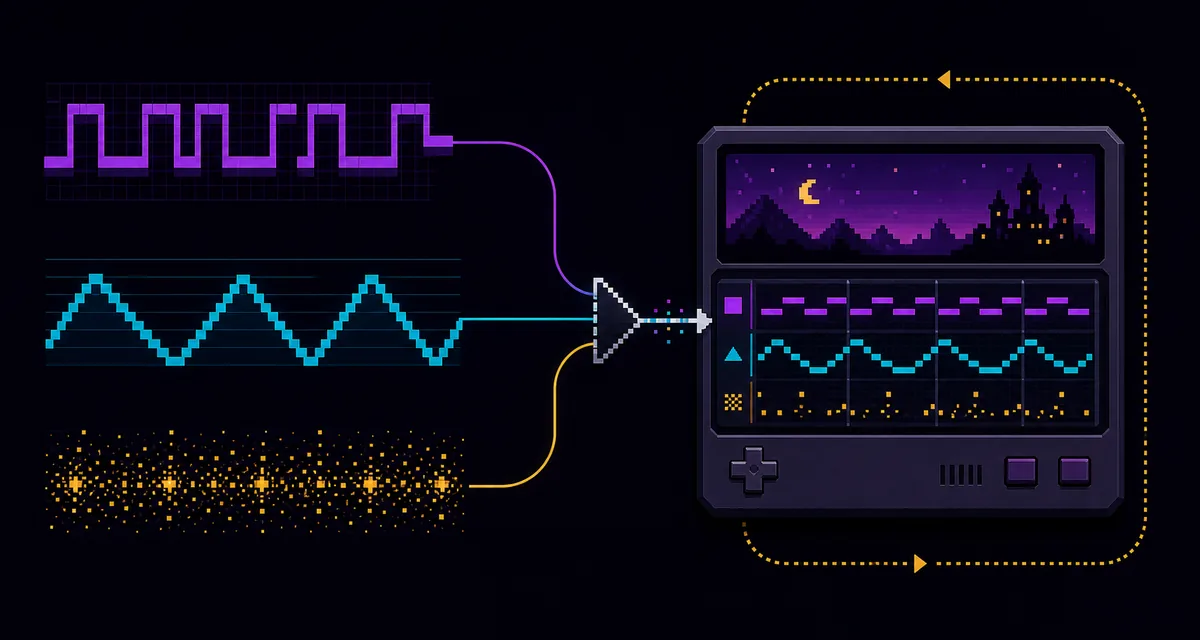
A simple square or pulse lead usually communicates 8-bit style faster than a complicated synth patch. For bass, choose a clean low tone that does not blur the melody. For support, use a thinner pulse, short arpeggio, or bright accent. For percussion, choose noise hits that are short enough to keep the groove crisp. You can later add UltraBox features such as FM or samples, but the first pass should be small and easy to understand.
If the original song depends on guitar strums, piano chords, or layered pads, resist the urge to recreate every layer. Pick the rhythmic job of the part. A guitar strum might become an arpeggio. A piano chord might become two quick support notes. A pad might disappear until the second chorus, where one extra lane adds lift.
Common MP3-to-8-Bit Mistakes
- Keeping the full original density: a wall of chords, vocals, cymbals, and effects will not become clear just because it is bitcrushed.
- Ignoring the bass: many weak covers copy the melody but miss the bass movement that makes the song recognizable.
- Using realistic drums: old-chip style usually needs short noise gestures, not full acoustic drum loops.
- Writing too many simultaneous notes: use arpeggios and implied harmony when the song has large chords.
- Skipping the save workflow: keep an editable song URL or project backup, not only the exported audio file.
Step 4: Export and Save the 8-Bit Version
When the arrangement works, export audio for sharing and keep the editable project reference for future fixes. If you are making a cover, also keep notes about what the reference was and how you reduced each section. The UltraBox saving guide explains how to preserve the full song URL, audio exports, JSON/project backups, and sample dependencies.
For longer covers, use the BeepBox song length guide to turn a short loop into a structured intro, main section, variation, and ending. For original tracks after this conversion exercise, switch back to the broader authentic chiptune tutorial.
When a Converter Is Still Useful
A converter or bitcrusher is not useless. It can help you hear whether a reference song might survive a lo-fi treatment, create a quick temporary sample, or make a fun preview for social media. Just treat it as a texture tool, not the final musical solution. If the goal is a playable UltraBox piece, rebuild the important notes.
Sources and Related References
- BeepBox official site for the browser song editor lineage behind UltraBox-style workflows.
- UltraBox source repository for project background and official code.
- Nesdev APU reference for classic pulse, triangle, noise, and channel-limit context.
- Bitcrusher overview for the difference between audio degradation and arrangement.
FAQ
Can I turn an MP3 into 8-bit music automatically?
You can make an MP3 sound lo-fi with a converter, but automatic conversion rarely creates a convincing chiptune arrangement. For real 8-bit music, rebuild the melody, bass, harmony, and drums as editable chip-style parts.
What is the best song-to-8-bit workflow in UltraBox?
Map the reference into a few roles, then rebuild it with one lead lane, one bass lane, one support or arpeggio lane, and one noise percussion lane. Add extra UltraBox channels only after the core loop is recognizable.
Is song to 8-bit the same as bitcrushing?
No. Bitcrushing changes the audio surface. Song-to-8-bit arrangement changes the notes, instruments, and limits so the song can behave like chip music.
Can I use the original MP3 as a sample?
You can use short samples in supported workflows, but a full MP3 reference is usually better kept outside the project while you transcribe. A full audio sample does not give you editable melody and bass lanes.
Which page should I read next?
Read the authentic chiptune guide for original writing, the song length guide for arrangement structure, and the saving guide before exporting finished work.
Build the Cover as Notes, Not Just Audio
Open UltraBox, choose a small channel plan, and rebuild the hook before adding polish.