JummBox vs UltraBox: Which BeepBox Mod Should You Use?
Use JummBox when you want a focused, familiar BeepBox-style editor for quick chiptune sketches. Use UltraBox when you need a larger production workspace: custom samples, more channels, deeper synthesis, themes, modulation, and safer offline project options. Both editors belong to the same browser music-making family, but they solve different problems. The right choice depends less on which one is "best" and more on how large your song is becoming.
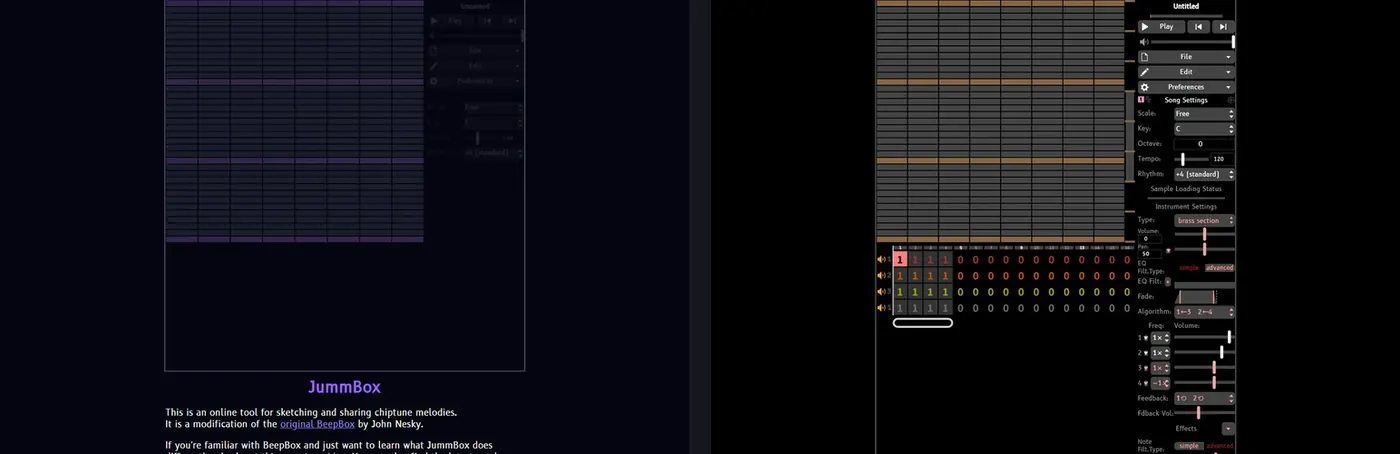
Quick verdict: JummBox is the cleaner stepping stone after vanilla BeepBox. UltraBox is the better long-term editor if you are already asking about custom samples, SoundFonts, offline builds, bigger arrangements, or moving a simple loop into a finished track.
The Core Difference: Focused Mod vs All-in-One Mod
JummBox is best understood as a direct BeepBox-style upgrade. It keeps the grid, pattern, instrument, and URL-sharing habits that make BeepBox approachable, while adding enough extra control for more expressive songs. That makes it comfortable for users who know BeepBox and want more room without changing their mental model too much.
UltraBox takes a broader approach. It combines ideas from many BeepBox forks into one editor, so the interface exposes more choices: extra synthesis engines, expanded channels, custom samples, themes, modulation, and offline release options. That breadth is powerful, but it also means beginners should learn the basics before opening every advanced panel.
A good way to separate the two is this: JummBox helps you stay close to BeepBox; UltraBox helps you outgrow BeepBox without leaving the browser-based song URL workflow.
JummBox vs UltraBox Feature Comparison
| Decision point | JummBox | UltraBox |
|---|---|---|
| Best use | Fast sketches, familiar BeepBox-family writing, simple shared loops. | Fuller arrangements, sample-based songs, deeper sound design, offline work. |
| Learning curve | Lower. It feels close to BeepBox and is easier to explain to new users. | Higher. More panels and options are available, so it rewards gradual learning. |
| Custom samples | Not the main reason most users choose it. | One of the main strengths. Use built-in libraries or host WAV, MP3, and OGG sample URLs. |
| Large arrangements | Good for compact tracks and structured loops. | Better for layered songs, more channels, longer sections, and more complex mixes. |
| Sound design | Enough for many chiptune ideas and modded BeepBox tones. | Broader synthesis and modulation options for users who want to shape instruments deeply. |
| Offline workflow | Usually used as an online editor. | Has an official offline download workflow for Windows, macOS, Linux, and portable HTML use. |
| Best next step | Share a loop, learn pattern writing, then upgrade if the project grows. | Build the finished version, back up JSON/song URLs, and manage sample dependencies carefully. |
Choose JummBox If You Want a Calmer BeepBox Upgrade
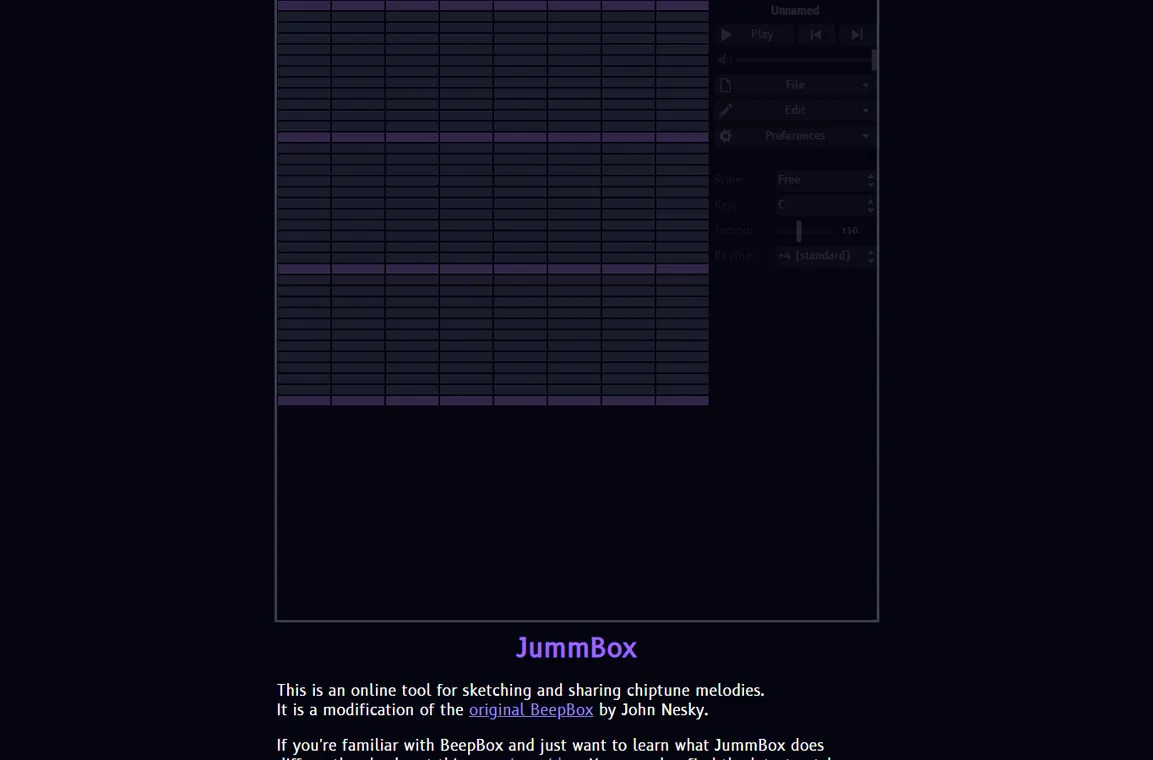
JummBox makes sense when the song idea is still small. If you are writing an 8-bar loop, testing a melody, or sharing a short sketch with a friend, the lighter workflow can be an advantage. You spend less time deciding which advanced system to use and more time moving notes, changing instruments, and copying the song URL.
It is also a good teaching tool. If someone already understands vanilla BeepBox, JummBox adds capability without making the screen feel like a different program. That matters for classrooms, jam sessions, and community challenges where everyone needs to open the same link quickly.
The tradeoff is that JummBox is not the best answer once your search intent changes from "make a BeepBox-style song" to "import my own sounds", "use SoundFont samples", "keep an offline build", or "arrange a larger track." Those are UltraBox-shaped problems.
Choose UltraBox If the Song Needs Samples, More Channels, or Offline Control
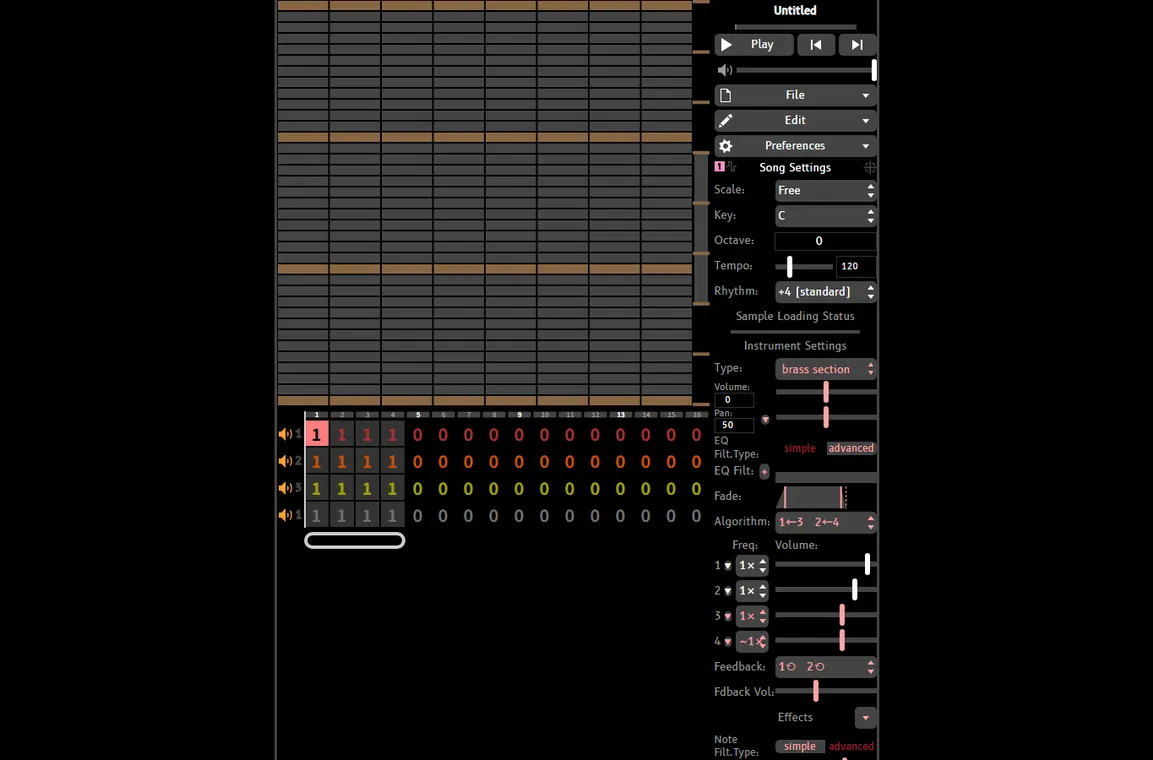
UltraBox becomes the better choice when the project has outgrown a quick sketch. A song with layered percussion, several lead and harmony parts, custom one-shot sounds, or imported instrument samples benefits from the extra room. You can still work in the familiar pattern grid, but the surrounding workflow is built for more ambitious production.
Custom samples are the clearest divider. If you want to bring in your own WAV, MP3, or OGG material, start with the UltraBox samples guide. If your source is a SoundFont file, use the SF2 to WAV guide before importing individual samples. If you are confused about what gets saved inside the song file, the audio to JSON guide explains the difference between audio files and song JSON references.
UltraBox is also stronger when you care about backup and recovery. You can copy the full song URL, export audio, save project data, and keep sample source files together. The UltraBox saving guide is worth reading before you use custom samples heavily, because missing sample URLs can break a song even when the notes still load.
Can You Move from JummBox to UltraBox?
In many everyday cases, yes. Because these editors share BeepBox-family ideas, simple JummBox-style song links usually transfer cleanly enough to continue work in UltraBox. The safest migration process is simple:
- Keep the original JummBox URL in a note or text file.
- Open the song in UltraBox and listen through the whole arrangement.
- Check instrument settings, rhythm, tempo, loop points, and any fork-specific behavior.
- Save a new UltraBox URL or JSON copy before adding UltraBox-only features.
- Only then add custom samples, extra channels, or advanced modulation.
Do not overwrite your only copy during migration. A BeepBox-family URL can store a lot of data, but it is still just one portable representation of a project. If you are preparing a track for release, keep both the original sketch link and the upgraded UltraBox version.
Recommended Workflow by Project Type
Start in JummBox when...
- You are sketching a melody or loop.
- You want a BeepBox-like interface with fewer advanced panels.
- You are teaching someone the grid workflow.
- You do not need custom samples or offline releases.
- You want a quick shareable URL for feedback.
Start in UltraBox when...
- You already know the song will need samples.
- You want more arrangement space and deeper instruments.
- You are comparing many BeepBox mods at once.
- You need an offline build for travel or unreliable internet.
- You want one editor for sketching, arranging, and exporting.
If you are still unsure, use the simplest rule: write the first draft wherever you are fastest, then move to UltraBox when the project needs something JummBox does not make easy. That keeps your early creative process light without blocking a larger production later.
How This Fits the Wider BeepBox Mod Ecosystem
JummBox and UltraBox are not the only BeepBox-family options. Some forks focus on themes, some on interface changes, some on experimental synthesis, and some on preserving a very close vanilla experience. If your real question is "which fork should I use at all?", start with the broader BeepBox mods guide. It compares UltraBox, JummBox, ModBox, GoldBox, AbyssBox, and vanilla BeepBox at a higher level.
If your question is specifically "should I stay in the original editor or move into UltraBox?", use the UltraBox vs BeepBox comparison. This page sits between those two guides: it is for users who already know JummBox is a serious option and want to know when UltraBox is worth the added complexity.
FAQ
Is UltraBox better than JummBox?
UltraBox is better for larger and more flexible projects. JummBox is better for a lighter BeepBox-style writing experience. The difference is workflow fit, not a universal ranking.
Can UltraBox open JummBox songs?
Simple songs usually transfer well because the editors share the BeepBox-family approach. Keep the original JummBox link, check playback carefully in UltraBox, then save a new UltraBox copy before using UltraBox-only features.
Does JummBox support custom samples like UltraBox?
UltraBox is the safer recommendation for custom sample workflows. It has a clearer path for hosted audio samples, built-in sample libraries, and SoundFont-derived sample preparation.
Which one is easier for beginners?
JummBox is usually easier if the beginner only needs the core grid workflow. UltraBox is still beginner-accessible, but new users should learn notes, patterns, instruments, and song length before relying on advanced synthesis or custom samples.
Which one should I use for finished music?
Use JummBox if the finished track is compact and does not need advanced production features. Use UltraBox if the song needs more layers, samples, export planning, backups, or offline editing.
Sources and verification
This guide was checked against public JummBox and UltraBox editor behavior, the existing UltraBox documentation on this site, and the current Similarweb/Semrush keyword data gathered during the June 28, 2026 SEO review. Official editor screenshots are used as visual references rather than generated mockups.